Your Setup Looks Amazing in Person. So Why Does It Look Like a Potato on Stream?
There's a specific kind of frustration that hits when you pull up your own stream VOD and realize your carefully curated workspace looks absolutely nothing like it does when you're sitting in front of it. The lighting's wrong, the desk looks chaotic, and somehow every cable you thought was hidden is front and center in the frame. You didn't buy a cheap camera. You didn't skip the RGB. So what gives?
This is what we're calling the Desk Cam Paradox — the gap between how your physical setup actually looks and how it reads on a 1080p stream at 6,000 kbps. And the fix almost never involves buying more gear.
Your Eyes Are Doing a Lot of Heavy Lifting That Your Camera Refuses To
Here's the thing most people don't realize: human vision is incredibly adaptive. When you sit down at your desk, your brain is constantly adjusting for mixed light sources, compensating for harsh shadows, and filling in context clues that make the space feel cohesive and intentional. Your webcam or capture camera does none of that.
Cameras expose for an average of the entire scene. If you've got a bright window behind your setup, the camera blows out the background or crushes your foreground into shadow — sometimes both. If your key light is coming from an overhead ceiling fixture slightly off to one side, it's casting weird shadows across your face and desk surface that you've completely stopped noticing in real life. The camera notices everything.
Before you touch a single piece of gear, spend five minutes actually watching your stream on a second device while you sit at your desk normally. You'll see the problem immediately. Nine times out of ten, it's a lighting angle issue, not a camera quality issue.
The Lighting Triangle That Changes Everything
Professional video setups — whether it's a YouTube creator in LA or a broadcast desk in New York — almost universally use some variation of three-point lighting. You don't need to go full studio to steal the concept.
The core idea: one main light source hitting your face and desk from roughly a 45-degree angle (your key light), a softer fill light on the opposite side to kill harsh shadows, and some kind of back or edge light to separate you from your background. For a desktop streaming setup, this translates pretty naturally.
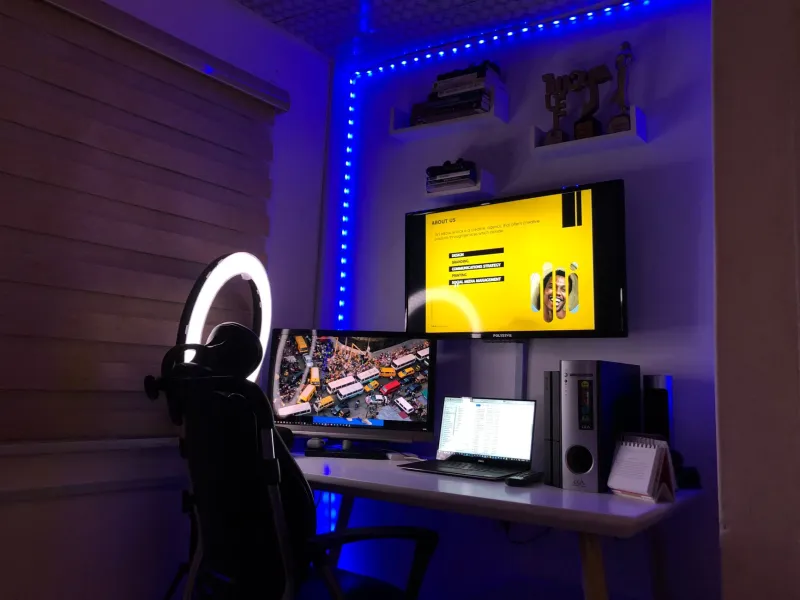
A decent LED panel or even a well-placed ring light handles your key. A second, dimmer LED on the opposite side — or even just bouncing light off a white wall — takes care of fill. For separation, bias lighting behind your monitors does double duty: it's good for your eyes during long sessions and it creates that clean, glowing edge that makes setups look expensive on camera.
The single biggest upgrade most streamers can make? Stop relying on overhead room lighting as your primary source. It's almost always the culprit behind that flat, unflattering look that makes even nice setups feel like a dorm room on stream.
Camera Placement Is Probably Wrong
Most streamers default to sitting their webcam right on top of their monitor — which puts the lens somewhere around forehead height, angled slightly downward. This works fine for a video call. For streaming your workspace, it's a disaster.
When the camera is above eye level looking down, you lose depth. Your desk compresses into a flat surface, the monitors look like they're leaning away from the viewer, and your whole setup reads as smaller and less impressive than it actually is. You also get a great view of your ceiling, which, unless you've got some serious acoustic treatment up there, isn't helping.
Try dropping the camera to roughly eye level or even slightly below. Mount it on a small arm off to the side of your main monitor rather than balanced on top of it. A lower angle with a slight upward tilt does two things: it gives your setup a sense of scale and depth, and it naturally frames your monitors as the focal point rather than your forehead.
For setups where you want to show the full desk — ultrawide builds, multi-monitor rigs, custom desks — consider a wider shot from further back rather than trying to cram everything into frame from close range. Distance plus a wider field of view almost always looks more intentional than a tight crop fighting to fit everything in.
Cable Management Looks Different on Camera Than in Real Life
You've routed everything through cable raceways. You've got velcro ties on the back of the desk. You did the work. And yet somehow, on stream, there's a spaghetti nest visible somewhere.
Cameras flatten depth, which means cables that are physically behind or below your desk surface can still be visible depending on the angle. The fix is less about hiding cables and more about understanding what your specific camera angle actually sees.
Set up your stream preview, then slowly move a flashlight or your phone's flashlight around the underside and back of your desk while watching the preview on another screen. You'll find the exact spots where cables are catching light and becoming visible. Those are the only spots you actually need to address for the stream — everything else is invisible anyway.
Also worth noting: a single intentionally visible cable — like a clean white USB-C run along the edge of a white desk — can look purposeful and clean on camera. It's the random cable chaos that reads as messy. Controlled, minimal, intentional cable runs can actually add to the aesthetic rather than detract from it.
The Desk Arrangement Trick Most Streamers Skip
One of the most underrated things you can do for your stream's visual quality costs nothing: rearrange what's actually on your desk to work with your camera angle rather than against it.
Think about your desk as a stage set rather than a functional workspace. What does the camera see? What's in the background? What's framed in the foreground? A plant, a small figurine, a branded mug — items placed intentionally in the camera's field of view add visual interest and personality without adding clutter.
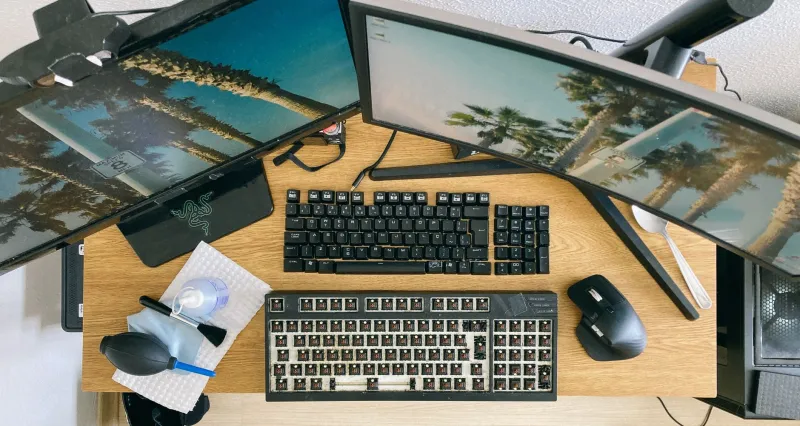
Conversely, anything that doesn't add to the frame should move. Random papers, charging cables draped over the desk edge, a second keyboard you're not using — these read as clutter on stream even if they don't bother you in person. The camera has no context for why something is there, so if it doesn't look intentional, it looks messy.
The Honest Bottom Line
The gap between how your setup looks in person and how it looks on stream is almost never a gear problem. It's a perspective problem — specifically, the difference between how you perceive your space with human vision and how a camera captures it as a flat, compressed image.
Fix your lighting angles before you buy anything. Move your camera before you upgrade it. Rethink your desk layout from the camera's point of view before you spend another dollar on cable management solutions. Most of the improvements that actually show up on stream are free, and they're sitting right there waiting for you to notice them.