Comfort Is Costing You: The Hidden Production Penalties of an Ergonomic Streaming Desk
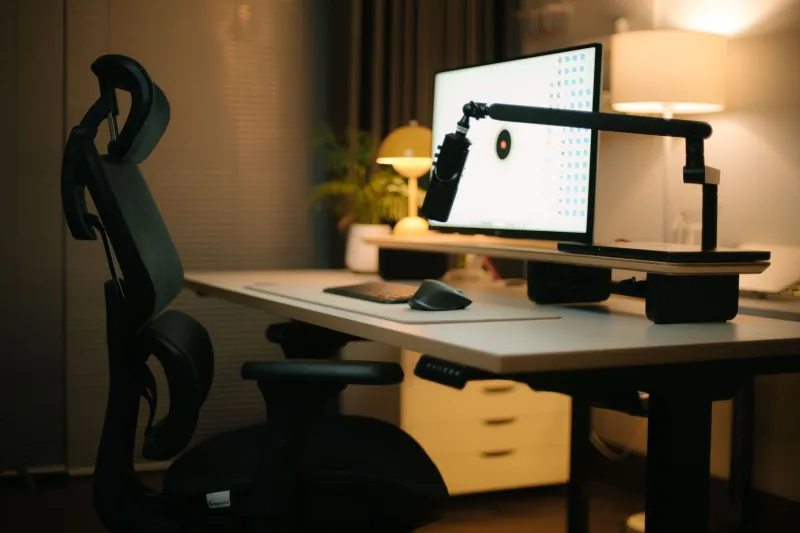
Let's be honest — most of us didn't get into streaming to become posture experts. But after a few eight-hour broadcasts with a stiff neck and a numb lower back, ergonomics stops being a luxury and starts feeling like a survival skill. So you do the research. You raise the monitor, lower the chair, position the keyboard at the right height, and suddenly your workspace feels like a dream.
Then you pull up the VOD and realize your camera is shooting straight up your nose, your background looks like a wire explosion, and your audio interface is buried somewhere behind your left elbow where it's picking up every vibration from your desk fan.
Welcome to the ergonomic streaming trap. It's more common than you'd think, and it's rarely talked about in the same breath as bitrate settings or encoder configs — but it absolutely affects what your viewers see and hear.
The Monitor Arm Problem Nobody Mentions
Monitor arms are basically the poster child of ergonomic desk setups. Adjustable, space-saving, endlessly repositionable — they're great. Until you realize that "ergonomically correct" monitor height and "good camera placement" are almost always in direct conflict.
The standard ergonomic advice is to position your monitor so the top of the screen sits at or just below eye level. That keeps your neck in a neutral position and reduces fatigue over long sessions. Makes total sense for your body. But if your webcam is mounted on top of that monitor — which is where most people clip it — you're now looking slightly down at your screen while the camera sits at or above eye level. The result is a subtle but noticeable downward angle on your face that reads as unflattering and low-effort on stream.
The fix isn't to trash your ergonomic monitor position. It's to decouple your camera from your monitor entirely. A dedicated camera arm or a small desk-mounted tripod lets you park the camera at a slightly different height than the monitor — typically just above eye level so viewers get a slight downward angle toward you, which is far more flattering and feels more like a natural conversation. Your monitor stays where your neck needs it. Your camera goes where your viewers need it. Two different problems, two different solutions.
Desk Depth: The Trade-Off That Shapes Everything
Deep desks — we're talking 30 to 36 inches of front-to-back real estate — are genuinely ergonomic. They let you push your monitor further back, which reduces eye strain, and they give you room to rest your forearms without hunching forward. Physical therapists love them.
Streamers, though, have a complicated relationship with desk depth. The further your monitor sits from the front edge, the more cluttered your background tends to look on camera. Equipment that lives in the middle or back of a deep desk — capture cards, stream decks, audio interfaces — ends up in awkward visual territory. Not close enough to look intentional, not far enough to be out of frame.
A shallower desk, somewhere around 24 to 28 inches, forces you to be more deliberate about placement. Gear either lives right in the foreground (where it can look intentional and branded) or it gets pushed completely off-screen. There's less visual gray zone. The trade-off is that you'll need to be more thoughtful about monitor distance — a monitor arm that tilts slightly upward can compensate for a closer screen and keep your neck from craning downward.
Neither depth is universally right. But understanding the trade-off means you can make an intentional choice instead of just grabbing whatever desk fits the room.
Cable Chaos Hides in Ergonomic Setups
Here's something counterintuitive: heavily ergonomic desks often have worse visible cable management than simpler setups. Why? Because all those adjustable arms, sit-stand mechanisms, and repositionable components create cable runs that need to flex and move. You can't just zip-tie everything to a fixed path when half your desk is designed to shift positions throughout the day.
The result is loops of slack cable that need to exist for movement but look like a disaster on camera. Sit-stand desks are especially guilty of this — the cable bundle that runs from your desktop tower down to the floor has to be long enough to accommodate the full height range of the desk, which means when you're sitting, there's a big loose loop hanging somewhere in your shot.
The practical solution here is a two-zone cable strategy. Everything that moves with the desk surface — monitor arms, keyboard, lighting — gets managed with flexible spiral wrap or coiled cables that can handle the motion. Everything that runs to the floor or wall gets routed through a dedicated cable spine that keeps the slack organized and out of frame. It takes a little more planning than a static desk, but it's the difference between a background that looks intentional and one that looks like you lost a fight with an extension cord.
Equipment Placement: Your Gear Deserves a Spot That Works for Both of You
Ergonomics tends to optimize for the human. Production value optimizes for the camera. Your equipment placement needs to satisfy both, and that's where a lot of streamers get stuck.
Audio interfaces are a classic example. The ergonomically intuitive spot is within easy reach — somewhere on the desk surface near your dominant hand. But on camera, a random black box sitting at desk level often reads as clutter. Moving it to a small elevated shelf or a side-mounted rack not only cleans up the visual, it also gets it off the vibration-prone desk surface, which can actually improve your audio quality.
Stream decks and macro pads are another one. Flat on the desk feels natural for quick access during a broadcast, but tilted up on a small stand — even a cheap phone stand works — makes it easier to glance at and looks significantly more intentional on camera. It's a two-dollar fix that changes how your whole setup reads visually.
Lighting is maybe the starkest example of ergonomics versus production value. A ring light positioned for even, flattering illumination often ends up directly in front of you at roughly monitor height. That's great for your face on camera. It's also potentially shining right into your eyes for eight hours, which is exhausting. Panel lights positioned slightly off to the side and angled in — a classic three-point setup even in a budget form — are gentler on your eyes during long streams and tend to produce more interesting, less flat-looking video.
Finding the Balance
None of this means you have to choose between feeling good and looking good. The real issue is that most streamers optimize one or the other without thinking about how the two interact. You build an ergonomic workspace and then try to make it look good on camera. Or you build a visually impressive setup and then wonder why your back is wrecked after every stream.
The smarter approach is to start from both constraints simultaneously. Where does the camera need to be for a good angle? Where does the monitor need to be for your neck? Are those compatible, or do you need separate mounting solutions? Where does your gear need to live to be accessible during a stream, and where does it need to live to not look like chaos on camera?
Asking those questions before you bolt everything down saves you a lot of re-routing later. Your viewers see the result of every placement decision you make. Your body feels it too. With a little planning, you don't have to sacrifice one for the other.