Solo Practice Feels Silky Smooth — So Why Does Everything Fall Apart the Moment Viewers Show Up?
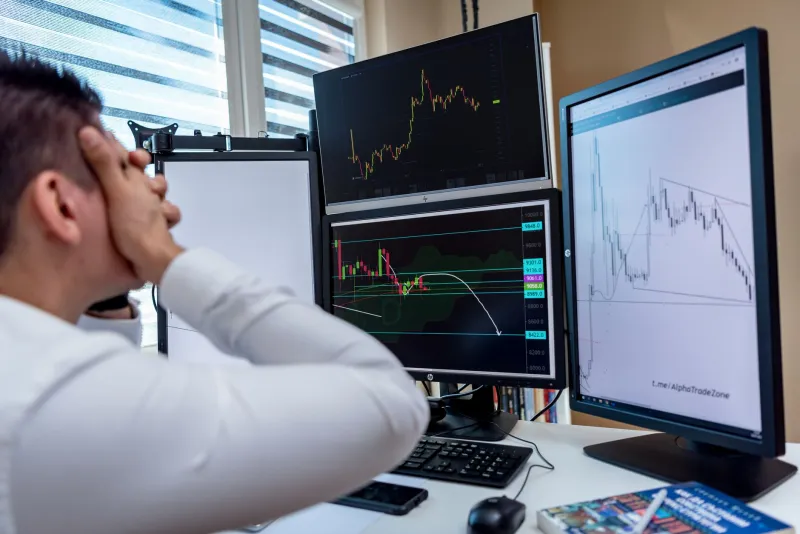
Every streamer knows the feeling. You've done the dry runs. You've watched your own broadcast back, checked the stats, confirmed your bitrate is holding steady, and declared your setup ready for primetime. Then you go live, real people start trickling into chat, and suddenly the whole experience feels like you're broadcasting through wet concrete. Your inputs feel delayed. Your game feels sluggish. Your voice sounds like it's coming from a different timezone.
Here's the uncomfortable truth: sometimes the lag is real. And sometimes it's entirely in your head. Separating the two is one of the most underrated skills in streaming, and almost nobody talks about it.
The Technical Side: Buffer Bloat Is Probably Already Wrecking You
Let's start with the stuff that actually shows up in logs. Buffer bloat is a network condition where your router starts queuing up packets during high-traffic moments instead of dropping them cleanly. The result is that your connection technically stays "up" — no dropped frames, no red lights in OBS — but everything gets delayed in unpredictable, hard-to-diagnose ways.
During solo practice, your network is mostly idle. Your stream traffic gets priority almost by default. But the moment you go live and viewers start hitting your stream, your router is also handling incoming chat data, your browser pinging Twitch or YouTube dashboards, your phone on the same Wi-Fi, and whatever else is happening on your home network. That's when buffer bloat kicks in and turns your previously clean connection into a traffic jam.
The fix starts with a test at DSLReports.com — their bufferbloat test is free and takes about two minutes. If you're scoring a C or below, your router's Quality of Service (QoS) settings need attention, or you need a router that actually handles traffic shaping properly. A lot of the mid-range routers sitting in American homes right now were never designed with streaming in mind.
Monitoring Delay: The Problem You're Inflicting on Yourself
Here's a sneaky one. Many streamers monitor their own broadcast while they're live — either through a second device, a phone propped against the monitor, or a picture-in-picture browser window. What they're actually watching is their stream with somewhere between 5 and 30 seconds of delay baked in by the platform. That's not your setup lagging. That's literally how streaming platforms work.
When you're watching that delayed feed and simultaneously trying to play or talk, your brain starts trying to reconcile two timelines at once. Your hands do something, then five seconds later you see it happen on the monitor feed. Over time, even experienced streamers start to feel like their inputs are delayed — because their brain has been trained to expect that gap.
The solution is simple but counterintuitive: stop monitoring your own stream while you're live. Trust your local preview in OBS or your streaming software. If you need to verify stream health, check stats panels and dropped frame counters, not the actual video feed. Your audience's experience and your experience are fundamentally different, and trying to watch both simultaneously is a recipe for phantom lag paranoia.
The Mental Load Factor Nobody Wants to Admit
Performance anxiety is real, and it has measurable effects on how your body processes input. When you're streaming alone in practice mode, your brain is in a relaxed, exploratory state. Reaction times feel snappier. Everything feels fluid. The moment you add an audience — even a small one — your nervous system shifts gears. Cortisol goes up. Your attention splits between the game, the chat, what you're saying, how you look, and whether your audio sounds right.
That cognitive load doesn't just make you play worse. It literally changes how you perceive time and input responsiveness. Studies on performance under pressure consistently show that people under stress overestimate how long things take and underestimate their own reaction speed. In practical terms: your stream isn't lagging. You are.
This isn't a knock — it's just human biology. The fix is exposure. The more you stream live, the more your brain normalizes the experience and stops treating it as a high-stakes threat. A lot of streamers who complain about "live lag" find it completely disappears after a few months of consistent broadcasting. The setup didn't change. Their nervous system did.
Diagnostics That Actually Tell You What's Real
Before you start swapping out hardware or blaming your ISP, run through this checklist after a session where everything felt off:
Check OBS dropped frames. Go to View > Stats in OBS. If your dropped frames are above 1%, you have a real network or encoding problem. If they're at zero, the lag was perceptual.
Review your encoder log. OBS writes detailed logs you can access through Help > Log Files. Look for encoding lag warnings or skipped frames due to rendering. These are concrete, not imagined.
Run a bufferbloat test immediately after streaming. Don't wait — test your connection while it's still in the same state as your broadcast session.
Record locally while you stream. Set OBS to record to your drive simultaneously with your stream output. Compare the local recording (zero latency) to how you felt during the session. If the local recording looks and sounds perfectly responsive, the issue was upstream of your PC.
Check your game's input settings. Some games add their own frame pacing issues or input buffers that only surface under load. V-Sync and frame limiters are common culprits that feel fine in practice but introduce inconsistency during heavy scenes.
Calibrating What Your Viewers Actually See
Here's the perspective shift that helps most: your viewers aren't experiencing what you're experiencing. They're watching a compressed video stream with a built-in delay, on a wide variety of screens and connections, and most of them have zero frame of reference for what your gameplay "should" feel like. They don't know your inputs are 2ms late. They don't know your voice monitor has a slight delay. They're watching a show.
That doesn't mean technical quality doesn't matter — it absolutely does. But it does mean that a lot of the "lag" you're perceiving as a broadcaster is invisible to your audience. Your job is to diagnose what's genuinely broken, fix it, and then let go of the rest.
The phantom lag is real in the sense that you genuinely feel it. But more often than not, it's a product of network conditions you haven't optimized, monitoring habits that are working against you, and a brain that's doing exactly what brains do under pressure. Run the diagnostics, trust the numbers, and stop watching your own stream while you're live. That alone fixes it for more people than any hardware upgrade ever has.