The 8 O'Clock Curse: Why Your Stream Tanks Every Evening and Your PC Is Totally Innocent
You've stress-tested your CPU. You've checked your RAM. You've reinstalled your streaming software twice. And still, like clockwork, somewhere between 7:45 and 8:15 PM, your stream starts stuttering, your dropped frame counter climbs, and your chat fills up with "are you lagging?" messages.
Here's the thing: your PC is probably fine. Your setup is fine. What's not fine is the invisible wall of competing Wi-Fi signals bouncing around your neighborhood the moment everyone gets home from work, fires up Netflix, and starts gaming in the next apartment over.
This is one of the most frustrating — and most overlooked — problems in streaming. And it has almost nothing to do with your hardware.
Why 8 PM Is the Worst Time to Stream (By a Lot)
ISPs and network engineers call it "peak hours," and it's exactly what it sounds like. In most US residential areas, internet usage spikes hard between roughly 7 PM and 10 PM. People are home. Streaming services are running. Smart TVs are pulling 4K HDR. Gaming consoles are downloading updates. And every single router in a two-block radius is trying to shout over the others on the same handful of wireless channels.
The 2.4 GHz band is especially brutal. There are only three non-overlapping channels in the entire spectrum (1, 6, and 11), and in a dense apartment building or a tightly packed suburb, every one of them is already packed. Your router's signal doesn't just compete with your own devices — it's fighting against every neighbor's router within range, and that range is longer than most people assume.
The 5 GHz band is less crowded but has shorter range and weaker wall penetration, which creates its own set of problems depending on your living situation.
How to Actually See What's Happening to Your Wi-Fi
Stop guessing and start measuring. A free tool called NetSpot (available for Windows and Mac) gives you a visual breakdown of every Wi-Fi network in range, which channels they're on, and how strong their signals are. On Windows, WiFi Analyzer from the Microsoft Store does a similar job with a clean, easy-to-read interface.
Run one of these tools during the day, then run it again at 8 PM on a weeknight. You'll almost certainly see more networks appear in the evening, and you'll see signal strength fluctuations that don't exist at 2 in the afternoon. That visual difference is exactly what's messing with your stream.
Another useful move: check your router's admin panel and look at your actual upload and download speeds over time. Many modern routers log this data, and some ISP-provided apps (like the Xfinity app or the Verizon Home app) will show you historical speed data. If you see a consistent dip every evening, that's your proof.
Channel Switching: The Free Fix That Actually Works (Sometimes)
If you're on 2.4 GHz and you can see that channels 1 and 6 are jammed with competing networks, manually switching your router to channel 11 might buy you some breathing room. Log into your router's admin interface (usually 192.168.1.1 or 192.168.0.1 in your browser), find the wireless settings, and look for the channel selection option — change it from "auto" to a specific channel.
This isn't a guaranteed fix. If all three non-overlapping channels are saturated in your area, you're moving from one crowded lane to another. But in neighborhoods where the congestion isn't completely uniform, channel switching can make a measurable difference. Run a speed test before and after, and do it during peak hours to get a real comparison.
On 5 GHz, you have more channel options and less competition, so switching bands entirely might be worth testing — as long as your router and devices support it and you're not too far from the router.
The Wired Ethernet Conversation Nobody Wants to Have
Look, nobody wants to run a cable through their living room. But if you're serious about consistent stream quality, ethernet is genuinely the single most impactful change you can make — and the data backs this up.
Wi-Fi is inherently variable. Even in a perfect environment with zero interference, wireless connections experience micro-fluctuations in latency and throughput that a streaming encoder absolutely hates. Add in peak-hour congestion and channel competition, and those fluctuations get dramatically worse.
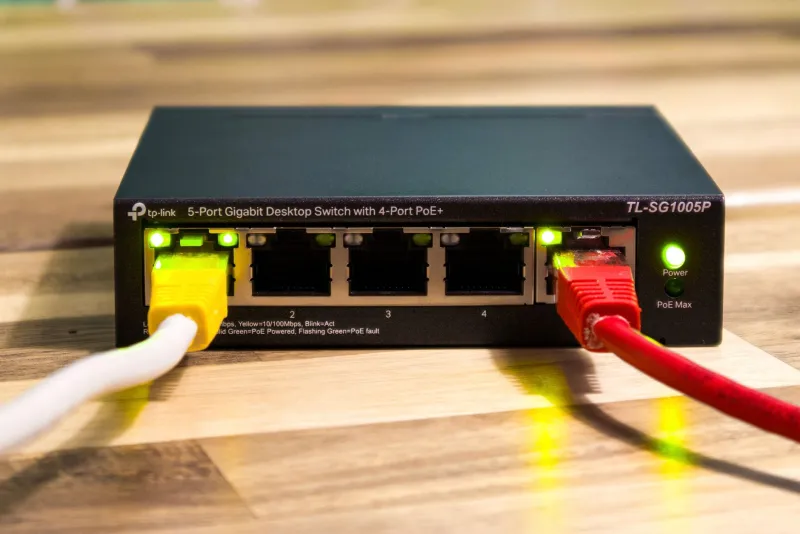
A wired gigabit ethernet connection doesn't care what time it is. It doesn't care how many of your neighbors just got home. The signal goes through copper, not air, and the only variable that matters is your ISP's own network — which is a separate problem, but a more manageable one.
In informal testing comparing the same streaming setup on Wi-Fi versus ethernet during peak hours, the difference in dropped frames can be staggering. On a 5 GHz connection that looks perfectly stable at noon, dropped frame rates during the 8 PM window can climb to 3–5% — enough to trigger noticeable stutter for viewers. On ethernet, that same window often shows zero dropped frames.
If running a cable isn't realistic for your space, MoCA adapters (which use your existing coaxial cable lines) or powerline ethernet adapters are worth considering. They're not as rock-solid as direct ethernet, but they're significantly more stable than Wi-Fi in most setups.
What to Do When the Problem Is Actually Your ISP
Sometimes the congestion isn't in the air — it's upstream. ISPs oversell bandwidth in residential areas, which means that during peak hours, the pipe feeding your whole neighborhood can get saturated even if your home network is perfectly optimized.
The giveaway is this: if you run a wired ethernet connection and still see consistent speed drops at the same time every evening, your ISP's infrastructure is likely the bottleneck. Document this with repeated speed tests using Speedtest.net or Fast.com at different times of day over a week or two, then bring that data to your ISP's support line. It won't always result in a fix, but it's the kind of documented evidence that can get you escalated to a technical team that can actually investigate.
In some markets, switching ISPs or upgrading to a business-tier connection (which typically comes with better SLA guarantees) is the only real solution.
Building a More Resilient Streaming Setup
Here's the practical checklist if you're dealing with the 8 PM curse:
- Run a Wi-Fi analyzer during peak hours and compare it to off-peak readings
- Manually set your router channel instead of leaving it on auto
- Switch to 5 GHz if you're close enough to your router for a reliable signal
- Run ethernet if at all possible — even a long cable routed along baseboards beats wireless for streaming stability
- Log speed tests over time to determine whether the problem is your local Wi-Fi or your ISP's network
- Consider a mesh network upgrade if your router is older and doesn't support band steering or modern congestion management
The evening stutter is one of those problems that feels like a hardware issue because it's invisible and inconsistent. But once you start looking at it as a network environment problem — one that changes based on the time of day and the behavior of people you've never met — it becomes a lot more solvable.
Your PC isn't failing you. Your airspace is. And now you know where to start.