Button Bloat Is Real: Auditing the Automation You Swore You Needed
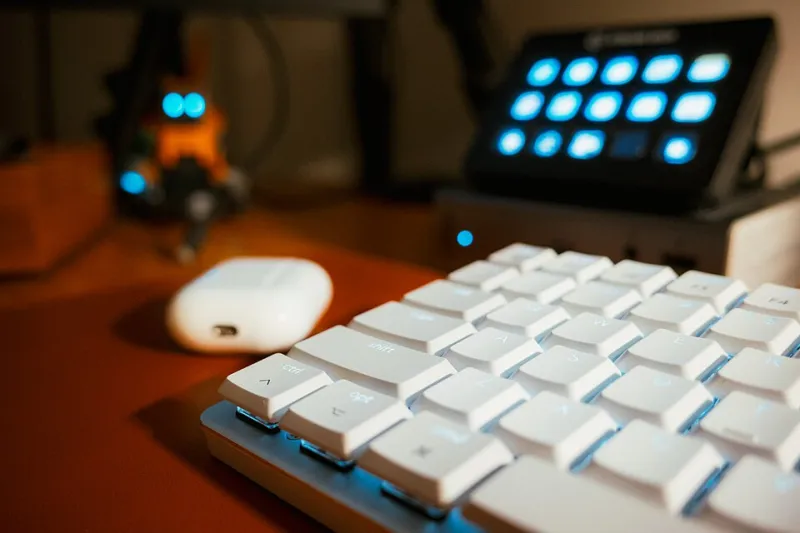
Photo: Sergiy Galyonkin , CC BY-SA 4.0, via Wikimedia Commons
I counted them last month. Thirty-two keys. I use five.
Five get pressed every single stream. Another six get pressed once every couple of weeks, and I had to look up what two of them did. The rest are decorative little LCD squares I admire the way you'd admire a nice piece of furniture — while it quietly makes my broadcast a more fragile thing to operate.
This is not a knock on macro pads. It's a knock on what we do with them.
Nobody starts at thirty-two
You start with four. Mute, camera, a scene or two, maybe a recording toggle. It's genuinely great. Your hand stops leaving the keyboard mid-sentence, you stop fumbling, the show feels tighter.
Then the plugin phase begins. Somebody in a Discord links a multi-action that fires a sound bite, swaps a scene, changes your lighting, and posts a chat message. You install it. It works. You feel like a small broadcast facility.
Then the foresight phase. You add a button for the thing that might happen — the interview scene you've never used, the "be right back" screen with the timer you built at 2 a.m., the emergency switch to a static image. Then a second page for the second show. Then a profile for a second game. Then a third page because pages one and two ran out of room.
Six months later you're operating a control surface designed for a version of your stream that doesn't exist anymore.
Why bloat actually hurts
It's not the hardware. The failure cost of bloat comes from three places, and all of them are human.
Discovery time. When something goes wrong live, you need the fix in under two seconds. Thirty-two buttons across four pages means you're hunting, and hunting under pressure is where the wrong button gets pressed.
Cognitive load. Every button is a small ongoing question: is that the right one, is that state current, did it fire? That tax is invisible until the moment it isn't.
Unattended behavior. Macros that chain actions will keep doing things you forgot you told them to do. A scene change that also unmutes a source you later changed is a live microphone waiting to happen.
And the crowdsourced multi-action libraries aren't helping. A macro built by someone else for someone else's layout is, functionally, an instruction manual for a machine you don't own. You're one plugin update away from a button that half-works and no memory of why.
The Panic Test
Here's the filter I use now. For each button, ask: if the show was falling apart and I had to fix it in three seconds, is this button part of the fix, or part of the panic?
Things that pass: mute, scene out to a standby card, start/stop recording, switch to the safe audio source. Things that fail: the one that triggers a chat message with a specific emote, the one that plays the six-second sound you love, the scene you built for a collab that got cancelled.
If a button doesn't survive the Panic Test, it needs a better reason to exist than "I had a free slot."
What actually deserves a key
My current rule is three conditions, all required:
- You do it more than once per stream. Not "might," not "in theory." Once per stream, actually.
- It needs to be instant. Anything you can flick with a mouse in four seconds doesn't need to be muscle memory.
- It's safe or reversible. A mute is instantly undoable. A scene switch that also changes audio routing is not always undoable, and that's the scary category.
By that measure, a streamer's honest list is short: mute, a couple of scenes, recording, and one "get me out of here" button. That's it. That's the whole job.
What should stay manual
Anything with a confirmation step. Anything you touch a few times a month. Anything whose failure mode is a black screen, a hot mic, or a copyright strike. Those belong on a keyboard shortcut behind a deliberate second action, or in the OBS menu where a stray elbow can't reach them.
The counterintuitive part: doing more things by hand makes the stream more reliable, not less. A manual action has your full attention behind it. A macro has a hope and a memory.
The rebuild night
Once a quarter I do this, and it takes about 40 minutes.
Pull the profile. Put the five buttons back. Then open the last four VODs and count, honestly, how many times you reached for something that isn't there. Add only those back. Everything else lives in a folder named "archive" that you'll never open — which is the point.
Same with plugins. If you haven't consciously interacted with a plugin in a month, remove it. Most of them are small, most of them are fine, and each one is a tiny bit of your production that updates on someone else's schedule.
The boring board wins
A five-button setup where every key does exactly one obvious thing is a setup you can hand to a friend and they'd operate it correctly in ninety seconds. That's the actual benchmark. Not capability — legibility.
Your macro pad is a production tool, and production tools have one job: to not be the reason the show stops. Every button you add past that is a small bet against yourself.
I'm down to seven. Aiming for six.