Your Desk Feels Huge. Your Stream Looks Tiny. Here's the Disconnect Nobody Talks About
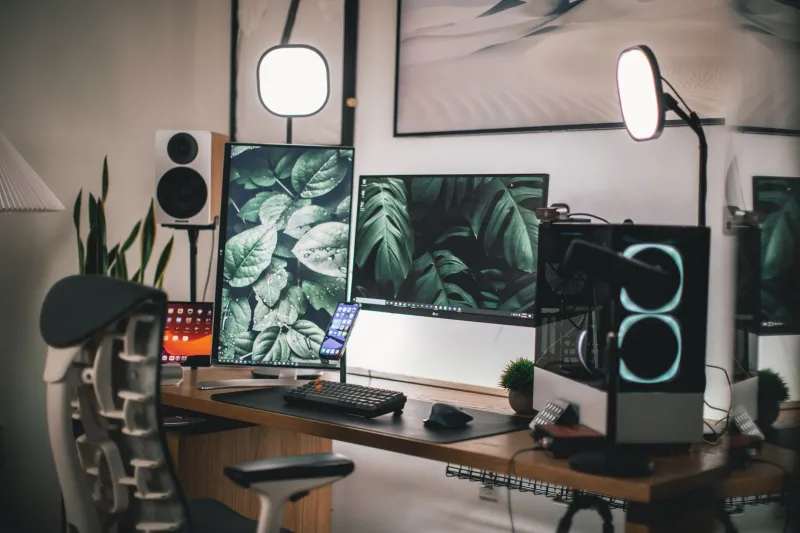
You did everything right. Ultrawide monitor, cable-managed to perfection, a tasteful LED strip along the back wall, and just enough negative space to feel like a professional. You sit down at your rig and it genuinely feels dialed in — like a cockpit, but make it content creation. Then you flip on the stream, check the preview, and suddenly you're staring at what looks like the world's most expensive junk drawer.
Welcome to the streaming desk paradox. And no, buying more stuff won't fix it.
Why Your Brain and Your Camera Are Having Two Different Conversations
Here's the thing most setup guides skip entirely: your eyes and a camera lens do not agree on reality. When you're sitting at your desk, your brain is doing incredible real-time processing — it's stitching together a wide field of view, filtering out visual noise, and giving you a sense of depth that no flat screen can replicate. You feel the space between your monitor and the wall. You sense that your desk is actually four feet deep.
A camera doesn't care about any of that. It flattens everything onto a 2D plane and — depending on your lens — it either compresses depth or exaggerates it in ways that completely betray what you've built. A standard webcam with a wide-angle lens will make your background look like it's three inches behind your head. A tighter lens might make your monitor look like it's swallowing you whole. Neither version is the one you see when you're actually sitting there.
This is the core disconnect: you're designing for human perception, but your audience is watching through a machine.
The Lens Distortion Problem You're Probably Ignoring
Most streamers are running either a decent webcam or a mirrorless camera with a kit lens, and almost none of them have thought critically about focal length. Wide-angle lenses — anything in the 16mm to 28mm equivalent range — are notorious for barrel distortion. Straight lines bow outward, faces look slightly rounder near the edges of frame, and your background gets stretched horizontally in a way that makes organized spaces look chaotic.
The sweet spot for most desktop streaming setups is somewhere in the 35mm to 50mm equivalent range. It's close to how the human eye naturally frames a scene, which means your audience's brain processes it without fighting the image. If you're using a webcam like the Logitech C920 or similar, you're likely stuck with a fixed wide field of view — which isn't the end of the world, but it does mean you need to compensate with how you position and arrange your physical space.
Some streamers swear by virtual camera software that lets you crop and zoom post-capture, effectively simulating a tighter focal length. It's not a perfect solution, but it's a free one.
Depth Is Your Most Underrated Design Tool
When professional set designers build a broadcast environment — think late-night TV, esports desks, YouTube studio builds — they think almost exclusively in layers. There's a foreground element (usually the host or talent), a midground (desk surface, monitors), and a background (wall, lighting, décor). Each layer is deliberately spaced to create visual separation that reads clearly on camera.
Most home streaming setups collapse all three of those layers into one. Your monitor is two feet from your face, your wall is two feet behind your monitor, and your camera is sitting on top of said monitor pointing directly at the wall. Everything is stacked, and depth disappears.
The fix sounds almost too simple: move your desk away from the wall. Even 18 to 24 inches of extra space between your background and your setup creates a sense of airiness that cameras can actually detect. Add a soft light source behind you — even a cheap LED panel pointed at the wall — and suddenly your stream has dimension. Your background stops being a flat backdrop and starts feeling like an actual room.
The Clutter Math Is Different on Camera
Here's a rule that will genuinely change how you think about your desk: whatever you think is an acceptable amount of stuff on camera, cut it in half. Then cut it in half again.
This isn't about minimalism as an aesthetic choice. It's about how visual complexity compounds on a 2D image. When you're sitting at your desk, your brain automatically prioritizes what's relevant and suppresses what isn't. A coffee mug, a sticky note, a charging cable dangling off the edge — your brain edits all of that out of your conscious experience. The camera records every single pixel of it with equal weight.
The practical approach: do a camera audit before every stream. Sit down, open your camera preview full screen, and look at it like you're a viewer who's never seen your setup. What jumps out? What feels busy? What's competing with you for attention? Nine times out of ten, there are two or three items sitting on your desk that seem totally normal in person and look like chaos through the lens.
Fixing the Frame Without Rebuilding Your Life
You don't need to gut your entire setup to fix this. A few targeted changes go a long way:
Raise your camera. Shooting slightly downward — even five to ten degrees — naturally compresses the foreground and gives your viewer a cleaner sightline to your background. It also, for the record, is universally more flattering.
Go vertical with your décor. Tall elements — a bookshelf, a standing lamp, a wall-mounted panel — draw the eye upward and make your space feel taller and more expansive on camera. Horizontal clutter reads as cramped. Vertical elements read as intentional.
Use lighting to carve out space. A key light on your face and a separate backlight on your wall creates visual separation between you and your background. This is the single highest-impact change most streamers can make, and it costs less than most people assume.
Treat your camera as the primary audience. When you're arranging your desk, physically get up, look at your camera preview, and make decisions based on that — not based on what feels right from your seated perspective. It's a mental shift, but it's the only way to close the gap between how your setup feels and how it actually streams.
The Takeaway
The streaming desk paradox is real, and it trips up creators at every budget level. A $300 setup and a $3,000 setup can look equally cluttered on stream if the spatial logic isn't built for the camera. Understanding that your lens, your lighting, and your depth are doing more work than your gear ever will is the first step toward a setup that actually looks as good as it feels.
Your desk is your workspace. But your stream is a television set. Design accordingly.