New Parts, Worse Stream: The Upgrade Cycle That's Actually Holding You Back
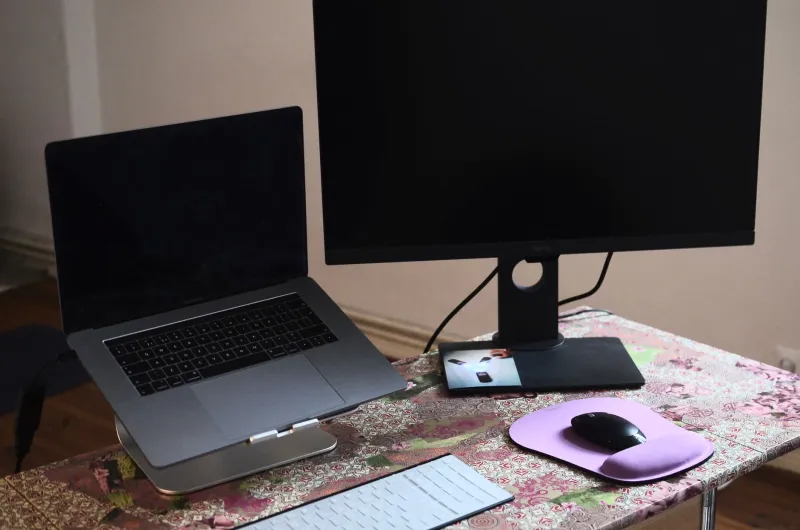
There's a moment every streamer knows. You've just finished installing the last driver, you fire up OBS, and you're ready for the new rig to absolutely smoke your old setup. Then the stream goes live and... something's off. Dropped frames. Encoder lag. Audio sync issues that weren't there last week. Your old machine, the one sitting in the corner collecting dust, never did any of that.
Welcome to the desktop refresh trap.
It's more common than people admit, and it has almost nothing to do with whether you bought good parts.
Mature Systems Are Quietly Optimized
Here's something the spec sheet won't tell you: a system that's been running for two or three years has gone through a lot of invisible refinement. Drivers have matured. Windows has patched edge cases specific to your hardware combination. Your streaming software has cached settings that actually match your encoder's behavior. Even your network stack has settled into a rhythm.
When you build a new machine, you're starting from zero on all of that. The latest GPU drivers are often in their first few stable revisions. Chipset drivers for a brand-new platform are still getting tuned. Streaming tools like OBS haven't always caught up to the newest hardware encoder implementations — and that gap can absolutely show up as instability during a live broadcast.
Your three-year-old setup wasn't just "good enough." It was optimized by time.
The Compatibility Problem Nobody Talks About
Incremental upgrades are where things get especially messy. Say you kept your motherboard and RAM but dropped in a new CPU and GPU. On paper, that sounds like a clean performance boost. In practice, you've just introduced a compatibility layer that didn't exist before.
Mixed-generation hardware can create subtle conflicts — memory controller behavior that's slightly different from what your board was tuned for, PCIe lane allocation that shifts in ways the BIOS doesn't fully account for, or power delivery profiles that don't quite match what the new components expect. None of this will necessarily crash your system. But it can create micro-instability that shows up exactly when you don't want it to: mid-stream, under sustained load, when your encoder is already working hard.
This is doubly true if you're running a hybrid system where some components are new and some are legacy. The weakest compatibility link in that chain becomes your ceiling.
Chasing Specs That Don't Map to Streaming
A lot of streaming-focused upgrades are made based on gaming benchmarks or general productivity scores — neither of which tells you much about sustained encode performance over a two-hour broadcast.
Streaming is a workload with a very specific profile. It's long-duration, multi-threaded, and heavily dependent on consistent performance rather than peak performance. A CPU that scores great in a five-minute Cinebench run might throttle under the sustained thermal load of a four-hour stream. A GPU with a newer encoder chip might technically have better specs than the one in your old card, but if the driver stack isn't fully stable yet, you're going to see it in your stream logs.
The metric that matters isn't "how fast is this hardware" — it's "how reliably does this hardware perform under the exact conditions of a live stream." That's a test no benchmark really runs.
The Hidden Cost of Starting Over
Beyond the hardware itself, there's a real time cost to a full system rebuild that most people underestimate. You're re-tuning your OBS scenes, re-calibrating your audio chain, re-testing your bitrate settings against your new encoder behavior, and chasing down whatever weird quirk this particular hardware combination introduces.
On a mature system, you've already done all of that. You know exactly what bitrate your setup handles cleanly. You know which scenes cause CPU spikes. You've already found the driver version that plays nice with your capture card. That institutional knowledge took months to build, and a fresh build wipes it out entirely.
For a lot of streamers, the first three months on a new rig are actually worse than their last three months on the old one — not because the hardware is inferior, but because the optimization work hasn't been done yet.
So When Does an Upgrade Actually Make Sense?
None of this means you should never upgrade. It means you should upgrade with intention rather than chasing specs.
A full platform rebuild makes sense when your current hardware has a hard ceiling you're consistently hitting — not just occasionally, but regularly. If your CPU is pegged at 90%+ during every stream, or your encoder is genuinely bottlenecked by hardware age, that's a real problem worth solving. But if your stream is running clean and your system is stable, "newer" isn't a good enough reason on its own.
Before you pull the trigger on new hardware, run this quick check:
- Review your stream logs. OBS and Streamlabs both generate detailed logs. If you're not seeing consistent dropped frames or encoder overload, your hardware probably isn't the problem.
- Check driver and firmware age. If your current setup is running mature, stable drivers, that's an asset — not a reason to upgrade.
- Identify the actual bottleneck. Is it CPU? GPU encode? Network? RAM speed? Upgrading the wrong component solves nothing.
- Factor in the re-tuning time. If you don't have the bandwidth to spend a few weeks dialing in a new system, a rebuild will hurt your stream before it helps it.
Optimize Before You Replace
The unsexy truth is that most streaming setups have significant headroom that never gets tapped. Before spending money on new hardware, spend a few hours in your current setup's settings.
Adjust your encoder preset. Tune your audio buffer size. Make sure your GPU isn't being asked to do both gaming and encoding simultaneously when it doesn't need to. Check your power plan — Windows balanced mode will throttle your CPU in ways that hurt sustained streaming performance. Update your capture card drivers. These are free optimizations, and they regularly produce bigger gains than a hardware swap.
The best streaming rig isn't always the newest one. It's the one that's been broken in, tuned up, and actually understood. Your three-year-old setup might have more left in it than you think.