Forget the Ring Light: Your Desk Layout Is What's Actually Killing Your Stream
There's a ritual almost every new streamer goes through. You buy the ring light. You mess with the color temperature for forty-five minutes. You angle it just right, flip on the stream, and think — okay, now I look professional. And then you watch the VOD back and something still feels off. The image looks busy. Cluttered. Like you're broadcasting from a storage unit that happens to have good overhead lighting.
Here's the thing nobody tells you early enough: your lighting is the last 10% of the equation. The other 90% is your desk layout — where things sit, how they're arranged, what the camera actually sees when it's pointed at your face. The physical structure of your workspace is a communication tool, and most streamers are using it to say the wrong things.
What the Camera Actually Sees (Versus What You Think It Sees)
When you're sitting at your desk, you've got a first-person view of everything. You know where the clutter is. You know the cable behind the monitor is tucked mostly out of sight. You've trained yourself to ignore the stack of game cases in the corner. The camera doesn't have that context. It sees a flat, compressed slice of your environment, and it equalizes everything — the intentional and the accidental end up with equal visual weight.
Sit down right now, hold your phone at roughly camera height (usually somewhere between chin and chest level for most webcam setups), and take a photo of your desk. Not a wide shot. The actual angle your stream camera sees. What's in frame? What's competing with your face for attention? That stack of Amazon boxes you've been meaning to break down? The three half-empty water bottles? The monitor with the sticky notes around the bezel like a paper crown?
This is your stream. Not the carefully curated version in your head — the one in that photo.
Monitor Height Is a Bigger Deal Than You've Been Told
Monitor positioning affects two things simultaneously: your ergonomics and your camera sight line. Most streaming advice focuses on one or the other, but they're deeply connected.
If your primary monitor is too low, you're looking down constantly, which means your camera — whether it's sitting on top of the monitor or mounted nearby — is getting a lot of forehead and ceiling. That angle reads as disengaged on camera. Viewers pick up on it subconsciously even if they can't articulate why.
Raise your monitor so the top third of the screen is roughly at eye level. Use a proper monitor arm or even a riser stand if you haven't already. This does two things: it brings your eyeline up naturally, which makes you look more present and alert on stream, and it creates a cleaner background frame behind you because you're no longer inadvertently tilting the camera down toward your desk surface, which is almost always the messiest part of the frame.
If you're running a dual-monitor setup, your secondary display matters too. A monitor angled awkwardly to your left or right can reflect light in weird ways and create visual asymmetry in the background that reads as chaos even when it isn't.
Cable Routing Is a Visual Problem, Not Just a Technical One
Yes, good cable management helps with airflow. Yes, it makes it easier to swap components. But for streamers, cable routing is primarily a visual problem, and it needs to be treated like one.
A cable that droops across the back of your desk and catches the light wrong will show up on stream. A bundle of cables running along the floor toward a power strip can look like a pile of snakes in the background if your camera angle is even slightly low. The rule of thumb: if it's in frame, it needs to be intentional. Velcro ties, cable raceways, under-desk management trays — these aren't luxury accessories. For streamers, they're part of the production setup.
A good test: run your stream for five minutes, then watch the footage back with the sound off. When you remove the audio context, the visual noise becomes much more obvious. You'll spot the cable issues, the asymmetrical peripheral placement, the random item sitting in the corner of frame that you've completely stopped seeing.
Keyboard and Peripheral Placement: The Stuff You Move Every Day
Here's a layout problem that's easy to overlook: your peripherals move. You push your keyboard to the side when you're not gaming. You slide your mouse pad when you need desk space. You set your headset down in a different spot every session. Over time, the careful arrangement you set up in your initial stream test gets completely dismantled by daily use.
The fix isn't to never move anything — it's to create anchor points. A keyboard tray or a designated spot on the desk where the keyboard always lives. A headset stand that keeps your headset in the same place every broadcast. A consistent home position for your mouse pad. These anchors take about thirty seconds to establish and they keep your workspace looking intentional session after session.
Peripheral placement also affects ergonomics in ways that translate to stream presence. If your keyboard is too far forward, you're hunching. If your mouse is too far to the right, your shoulder rises. These posture issues are subtle but visible on camera, and they add up across a two-hour stream into an impression of physical discomfort that viewers pick up on.
The Sight Line Problem Most Streamers Never Solve
Where are you actually looking when you stream? If you're gaming, you're looking at your monitor. If you're chatting, you might glance at the camera. But your camera is almost never exactly where you're looking, which means viewers are almost always watching you look slightly off to the side.
This is unavoidable to a degree, but your desk layout can minimize it. The closer your webcam is to your primary monitor — ideally centered above it — the smaller the angle between where your eyes are focused and where the camera is positioned. A camera mounted on a separate stand three feet to the left of your monitor creates a much more pronounced "not quite looking at you" effect than one clipped to the top of the monitor itself.
If you're using a capture card with a dedicated camera, think carefully about where that camera physically lives on your desk. It's not just a technical placement — it's a sight line decision that affects how connected you feel to your audience for every minute of every stream.
Polished Versus Cluttered: The Real Difference
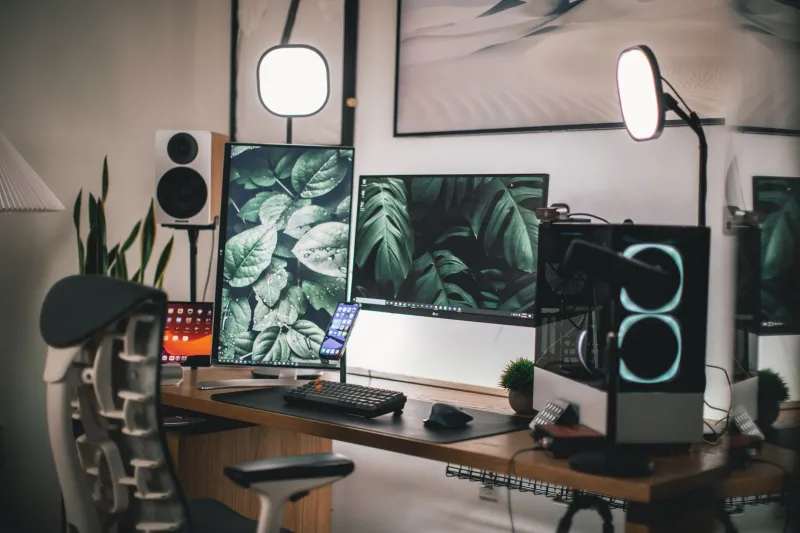
The setups that look polished on camera usually share a few traits: clear horizontal lines (monitors at the same height, peripherals roughly aligned), intentional negative space (not every inch of the desk is covered), and consistent depth (objects at different distances from the camera are arranged so they don't visually collide).
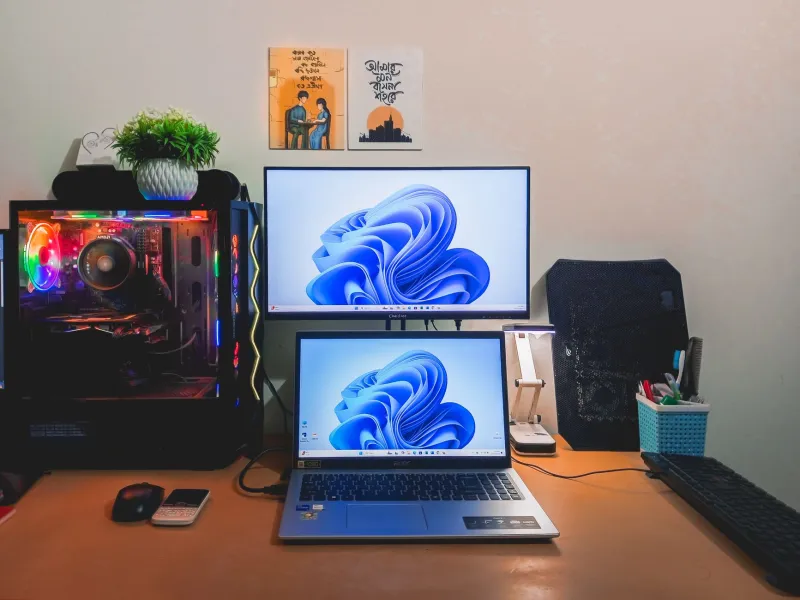
Cluttered setups tend to have the opposite: mixed heights, random object placement, and things at the edges of frame that weren't part of any plan. The difference isn't always about how much stuff you have — it's about whether the arrangement looks considered.
You don't need a minimalist battlestation. You need a deliberate one. There's a big difference. Your lighting setup can be flawless and your ring light can be perfectly diffused, but if the desk behind it looks like a yard sale mid-setup, that's what viewers are going to remember.
Get the layout right first. Then worry about the lights.