Why the Pros Are Obsessed With Cable Management (And It Has Nothing to Do With Aesthetics)
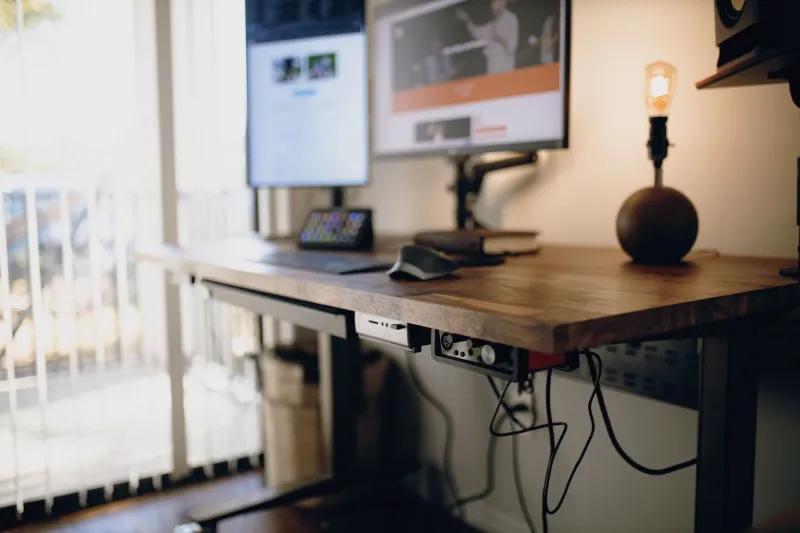
You've seen the setups. The ones where every cable disappears into a cable raceway, gets zip-tied into clean bundles, and somehow makes a desk full of electronics look like it was assembled by someone with too much free time and a mild obsession with right angles. And your first thought was probably: cool flex, but I have a stream to run.
Here's the thing though — those streamers aren't doing it to impress you. They're doing it because at some point, they learned the hard way that cable chaos is a slow-moving disaster. And once you understand why, you'll never look at a rat's nest of cables the same way again.
The Diagnostic Problem Nobody Sees Coming
Imagine your stream drops audio mid-broadcast. Your viewers notice before you do. You're live, you're flustered, and now you're reaching behind your desk into a tangle of cables trying to figure out which USB is your audio interface, which one goes to your hub, and which one you haven't touched in six months and genuinely have no idea what it does.
That scenario plays out constantly — and not just for beginners. It happens to experienced streamers who built their setups organically, adding one piece of gear at a time without ever stopping to organize the infrastructure underneath it all.
Good cable management is, at its core, a diagnostic system. When every cable is labeled, routed intentionally, and traceable from source to destination, you can identify and fix a problem in 30 seconds instead of 10 minutes. For someone streaming live to an audience, that difference is enormous.
The Reliability Angle Is Completely Real
Loose cables fail. That's not a maybe — it's physics. A USB cable that's been bent at a sharp angle behind a monitor stand, pinched under a desk leg, or half-pulled out because something shifted when you moved your keyboard is a cable that's working on borrowed time.
Properly managed cables aren't just tidy. They're mechanically protected. When you run a cable through a proper clip or raceway, you're eliminating the stress points that cause intermittent failures — the absolute worst kind of technical problem because they're nearly impossible to diagnose when they're not actively happening.
Intermittent audio dropouts. A capture card that occasionally loses signal for half a second. A webcam that randomly disconnects and reconnects. These are the kinds of issues that get blamed on software, on drivers, on the platform, on everything except the frayed cable that's been slightly unseated for three months. Clean cable management removes an entire category of potential failure from your setup.
It Directly Affects Your On-Camera Presence
Okay, there is an aesthetic component — but it's not about vanity. It's about psychology.
If your desk is visible on stream and cables are everywhere, you know it. That low-level awareness that your setup looks chaotic creates a subtle but real cognitive drag. You're less comfortable, slightly more self-conscious, and that comes through on camera in ways that are hard to quantify but easy for viewers to feel.
Beyond that, a physically organized workspace tends to be a mentally organized workspace. Streamers who've put effort into their cable situation almost universally report feeling more in control of their setup — more confident that they know where everything is and what everything does. That confidence is tangible when you're live.
How to Actually Approach This (Without Spending a Weekend on It)
The good news is that you don't need to rip everything apart and start from scratch. Cable management is one of those things you can improve incrementally and still get real benefits from partial progress.
Start with labeling. Grab a label maker or even some masking tape and a marker. Label every cable at both ends — what it is and where it goes. This alone will save you time the next time something goes wrong, and it costs almost nothing.
Identify your stress points. Look for cables that are bent sharply, cables that are under tension, and cables that are being pinched by furniture or other gear. These are your highest-risk failure points. Address them first.
Separate your power from your signal cables. Running power cables parallel to USB or audio cables over long distances can introduce interference — you might hear it as a hum in your audio or see it as noise in your video signal. Routing them separately is a small change that solves a surprisingly common problem.
Use the right tools for your setup. Cable clips, velcro ties (not zip ties if you ever want to change things), cable raceways, and under-desk cable trays are all cheap and widely available. You don't need a $200 cable management kit. You need $15 worth of velcro ties and a plan.
Document your final layout. Take a photo of your clean setup once you're done. Not for Instagram — for yourself. When something changes six months from now, that photo is your reference point for what a properly configured version of your setup looks like.
The Streamers Who Skip This Step Always Regret It
There's a pretty consistent pattern among people who've been streaming for a few years: the ones who treated cable management as optional early on almost all go back and redo it eventually, usually after a frustrating live incident that could have been avoided.
The ones who built clean from the start — or who took the time to organize their setups before they got complicated — spend dramatically less time troubleshooting and more time actually streaming.
It's not glamorous. Nobody's going to clip your cable management job as a hype moment. But if you're serious about running a reliable stream, treating your physical infrastructure with the same intentionality you bring to your software settings and your encoding configuration is one of the highest-return investments you can make.
Your stream lives and dies on the connection between your gear. Make sure those connections are solid.